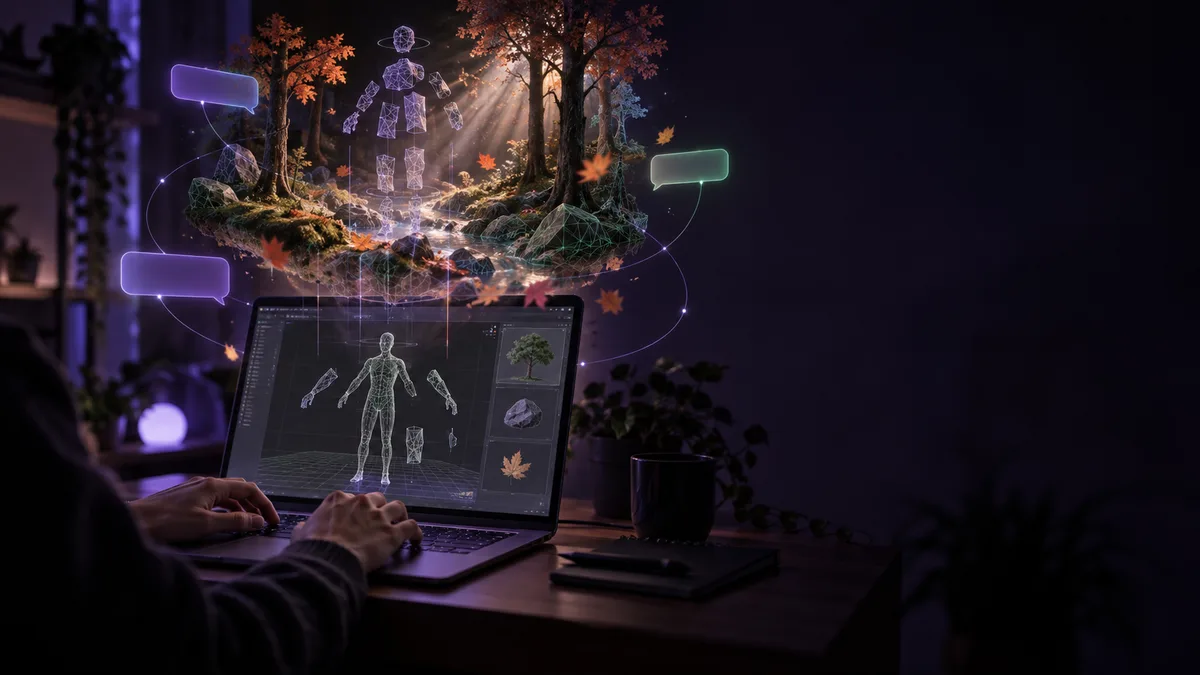
KANA writes (in Japanese) that handing Blender over to Opus 5.5 wholesale usually stops at "looks about right," and has published a tutorial promising to share everything that helped push the result to something genuinely clean 1. Here we read posts about handing 3D work to an AI agent, and about the tools that surround the agent, together with the official documentation of the tools involved.
This time we also tried two reproductions ourselves. When we passed a detailed pirate-ship request, posted publicly on X, to Opus 5.5 without adding any direction of our own, it produced three DXF drawings and a 23.5-second video with sound in about 41 minutes, not counting an interruption. Some things fell short, such as a wake that is barely visible. Our test machine was a desktop with a single RTX 5060 Ti 16GB, not an RTX Spark machine.
Most numbers and impressions come from the posters themselves, so they are attributed to them ("the poster writes") rather than stated as fact.
Past "looks about right": KANA's tricks
KANA published a tutorial video of about 6 minutes made with Claude Opus 5.5 and Blender 5.1 EEVEE 2.
Opus 5.5 にBlenderを丸投げしても、
— KANA|東京AI映像 (@KanaWorks_AI) October 10, 2026
だいたい「それっぽい」で止まります。
そこから本当に綺麗にするまでに効いたことを、全部出します。
・AIに自分のレンダーを見せて、数字で測らせる
・採点は、作っていない別のAIにやらせる
・落ち葉は本物の落ち方を調べさせる… pic.twitter.com/d7CDyeYHx3
According to the poster, handing Blender to Opus 5.5 wholesale usually stops at "looks about right" 1. As what helped from there, the poster lists:
- Show the AI its own render and have it measure the result in numbers 31
- Have the scoring done by a different AI that did not make it 32
- Have it look up how fallen leaves really fall 33
- Do not paint the dappled sunlight; project the shadows of the trees instead 34
The interesting part of the combination is the split between the role that builds and the role that measures. The AI that made the work does not score it; a different AI looks at it. "Looks right" is replaced by yardsticks: numbers and real-world phenomena. That is the division of labor we read in it. Projecting tree shadows rather than drawing sunlight as a picture of light is also a very CG way to think.
Blender is released under the GNU General Public License 3.
How far a detailed request and a short instruction got: our two reproductions
For the pirate ship, we passed a detailed, publicly posted request to Opus 5.5 as-is, with no direction added. For the mannequin, we passed only a short instruction. All we added were experimental conditions: where to work, keeping a time log, and not installing new software. The thinking ran in the cloud on Opus 5.5; Blender and the renders ran on our local desktop.
Passing on the pirate-ship request as-is
The first is a request that Ayuneo (@Ayu_AI_0912) has posted in full. It asks for CAD drawings and a Blender video of a fictional pirate ship 35, and specifies the video as an MP4 with sound, rendered in Blender's EEVEE at 1920×1080 and 24fps, with a 20-second main part plus a 3.5-second logo 36. The request even spells out that the sound must be synthesized in Python without external assets 37, and that the agent should look at the drawing preview images and fix overlapping text 38.
We passed this request, in full and unchanged, to Opus 5.5 and had it drive Blender 5.2 headless from scripts (no MCP). Since we had no logo image, we substituted the text "WINVIDIA TEST", and we treated the time commitment as already approved.

What we ended up with was a 23.5-second, 1920×1080, 24fps MP4 with audio (564 frames), and three DXF drawings with an A2 border, title block and general notes (deck plan at S=1:100; side elevation at S=1:150; front view, stern view and midship cross-section at S=1:150). The dimensions are set in a single Python module, which the drawings, the textures and the Blender scene all read. The sound was synthesized in Python with no external assets (a song in 6/8 time, mallets, sails, waves, gulls, a ship's bell and cannon). The main part is 480 frames = 20 s and the logo 84 frames = 3.5 s, so the length matches the request.
The breakdown: 11.3 minutes to the drawings (three DXF files), 15.0 minutes to the test stills (three rounds) excluding time waiting for the GPU, and 8.5 minutes for the final render (the estimate before the final render was about 20 minutes; the render paused for 20 seconds every 60 frames). Test stills at 1920×1080 took about 1.6 seconds per frame. Total working time was about 41 minutes, or about 35.5 minutes excluding the GPU wait. This does not include a stretch of about 8 hours when work was stopped partway.
There were five fixes. Three were in the drawings (text overlapping lines, cannons drawn on the wrong side, and the rudder overlapping the name plate). For the rudder, the agent changed its height in the geometry module, which carried the fix into both the drawings and the video. Two were in the video (parts not yet introduced showing up flattened on the paper, sails doubled and offset, and so on). The agent looked at the test stills and drawing previews itself and fixed these. That is the same direction as KANA's "show it the render."
Even so, some things did not come out as requested. The wake was built but is barely visible on screen, the smoke particles stand out, the ship is on the small side in wide shots, the rigging and figurehead are simplified, and drawings 2 and 3 are partly simplified (no hatching on the cross-section). We have not opened the DXF files in external CAD software to check them, and we have not checked the sound by ear. Whether this got past "looks about right" cannot be said from this one run.
Moving a mannequin with words alone
The second is the short-instruction approach. Capybara VR (@haribote0073) writes that a video came out of nothing more than the instruction "wave, turn around once, wave again, jump, and do knee bends" (our translation) 39. The poster says an LLM writes the prompts 40, but does not say which tool made the video.
We passed this instruction to Opus 5.5 unchanged, provided no mannequin, and had it build everything from Blender 5.2's standard primitives. From building the figure to an 11.1-second video (1280×720, 24fps) took about 5 and a half minutes, excluding the GPU wait. The script ran on the first try, with one fix (widening the floor and moving the camera closer). The render was 266 frames in 45.8 seconds.
By the agent's own check and our visual check, the wave, the jump and the knee bends are readable. In the full turn the feet do not step, so the figure seems to slide; during the jump, both arms overlap above the head. It uses no armature; it is an artist's-mannequin figure whose parts simply rotate at the joints. The number of knee bends was not specified, so the agent interpreted it as two.
What we did not try
Of KANA's tricks, only "show it the render" is close to what our reproductions did. Opus 5.5, the same model that built the work, looked at test stills and contact sheets and made fixes (five for the pirate ship, one for the mannequin). We did not try "have the scoring done by a different AI that did not make it" 32.
Image to 3D, motion in Blender, finish in AE: AI Studio One Room
The next example is a video made without video generation AI.
これ、マジでヤバいです。
— AIスタジオワンルーム(AIアニメ、動画、漫画) (@studio_oneroom) October 10, 2026
この映像は動画生成AIを一切使っていません。
フルCGと言っていいのかな?
制作工程としては、画像をTripoで3D化してblenderに入れて動きをつけました。更にその後、AEでテキストやエフェクトなどを追加して完成。… pic.twitter.com/XxTPO42bIw
The creator behind @studio_oneroom (the name translates as "AI Studio One Room") writes (in Japanese) that this video used no video generation AI at all 4. The process: turn an image into 3D with Tripo, bring it into Blender and add motion, then add text and effects in After Effects (AE) to finish 5. The poster writes that most of that work was done by Opus 5.5 6. The poster also asks whether this can be called "full CG," and we leave it unnamed here 7.
What the poster stresses is that every step can be fine-tuned, and that you can build a little at a time while giving detailed instructions 8.
To be fair, here is the poster's own assessment too. Because the approach gives so much freedom, the result depends on the maker's skill and taste, so for now, the poster writes, generative AI produces better-looking video 9. How far this approach, directing steps that used to be done by hand, can raise the look is likely to be where the maker's skill shows.
On the facts about the tools: Tripo runs entirely in the browser with nothing to install 10. The free plan on the pricing page reads "Public Models · Non-Commercial Use" 11. For commercial use, it is safest to check the plan terms first. After Effects publishes official system requirements for Windows and macOS 12 13.
When you want to hand-draw additions while drawing and animating, a pen tablet can come in handy.
A library of expressions for your agent: NANKA DEKIRU by Esoragoto TV
Esoragoto TV (@boke_ai) announced NANKA DEKIRU, a library of expressions that can be used with Claude Code or Codex 14. It collects video expressions, motion, editing and more, with a feature to pick the expression you want and copy-paste it to your agent, according to the post 15.
ClaudeCodeやCodexで使える表現のライブラリ「NANKA DEKIRU」を作りました
— 絵空事テレビ / AIカワウソ (@boke_ai) October 6, 2026
なんかできる映像表現やモーション、編集などをまとめてます
使いたい表現を選んでお使いのエージェントにコピペする機能つき!
公式サイトの「公開ツール」にあります!https://t.co/SQJ4d8igD4 pic.twitter.com/VTwCbrrGQT
When you are not sure what to ask an agent for, being able to choose from samples and hand one over is a reassuring idea. It is released free of charge 16.
Adding guardrails to an agent: Mordred, introduced by Leona
According to the poster, Mordred, which Leona introduced, is a plugin that adds encryption, communication settings and limits on tool use to the AI agent Hermes 17. The poster also writes that you can install it just by telling the chat, in Japanese, to install Mordred 18.
暗号技術者のチームから生まれたAIツール。Hermesが全面的に暗号化されるので、ためらいなく、思いっきりAIが使えるようになります。
— Leona 極度妄想(しなさい) (@leo_hio) October 6, 2026
Telegramの履歴を全部同期してprivate AIとチャットすることから始まり、アクセル全開なAIオプションを提供していきます。…
Here is what the primary sources confirm. Mordred is under the MIT license 19. It requires macOS or Linux, and Windows and mobile support are deferred 20. Hermes Agent is under the MIT license 21 and supports Windows natively 22. NVIDIA has also announced that it plans to integrate OpenShell and Microsoft's security features into Hermes Agent's new Windows application 23. A plan is a plan, and we will be watching how it develops.
If you want to do this at your own desk
From these examples and our reproductions, some conditions you would want locally come into view. Each time the agent goes around a fix loop, a wait for the local render comes in between (8.5 minutes for the pirate ship's final render). Whether 16GB is enough once the scene gets larger is something we did not measure this time.
According to NVIDIA, RTX Spark offers up to 128 GB of unified memory and can handle 3D scenes up to 90 GB 24. Setting that next to the 16GB of our test machine is our own comparison, not NVIDIA's: in terms of capacity, there is room to spare (on NVIDIA's numbers only). However, we have not checked the speed on an RTX Spark machine, or whether our reproductions would run the same way on one. NVIDIA also says that running locally lets you iterate instantly and keeps data on your machine 25.
Blender itself is compatible with Windows on Arm 26. NVIDIA has also announced that DLSS 4.5 Ray Reconstruction for Blender will arrive this fall along with RTX Spark 27. NVIDIA's Japanese blog says it is planned for Blender 5.3 28. These are plans, though. KANA's example used Blender 5.1 2, and our reproductions used Blender 5.2. Please read them as separate from the planned feature 28.
Some cautions. First, the official availability listed for Claude Opus 5.5 is Claude's own products and cloud platforms such as the Claude Platform and Amazon Web Services 29. Second, for After Effects on Windows on Arm, Adobe lists Qualcomm Snapdragon X series processors as the requirement 30. Whether AE runs on an RTX Spark machine should be checked against Adobe's official requirements.
If you are choosing an RTX Spark machine, check the official supported environments of the tools you want to run first. Here are some examples of RTX Spark machines (including some at the pre-order or announcement stage).
Ad: the “Search on Amazon” buttons are affiliate links, and we may earn a commission. They open a search, not a specific listing.
Ad: the “Search on Amazon” buttons are affiliate links, and we may earn a commission. They open a search, not a specific listing.
Ad: the “Search on Amazon” buttons are affiliate links, and we may earn a commission. They open a search, not a specific listing.
When project files pile up, a portable SSD lets you carry or back up a project.
Our test conditions
- Test date: 2026-10-13.
- Hardware: a desktop PC with one NVIDIA GeForce RTX 5060 Ti 16GB GPU (16,311 MiB VRAM), 64GB of main memory, 16 threads, Ubuntu 24.04, NVIDIA driver 580.178.04.
- This is not an RTX Spark machine. Nothing about operation or speed on RTX Spark can be concluded from this test.
- Software: Blender 5.2.2 LTS (headless, driven from scripts; no MCP).
- Agent: Opus 5.5, run as a subagent in Claude Code (in the cloud). We gave no direction beyond the requests themselves, and added only experimental conditions: where to work, keeping a time log, and not installing new software.
- What we passed on: for the pirate ship, the full text of @Ayu_AI_0912's request (with the text "WINVIDIA TEST" in place of the logo); for the mannequin, the instruction @haribote0073 writes they used.
- Each was a single run. The results are our versions and are not the same as the posters' works.
Read next
For the audio side, see the YuE2 music article. For a workflow that makes images, video and music with local models, see the article on images, video and music made with local models. Start from 3D and look for combinations you can wire together on your own machine.